

How a Renewal Tracker Should Treat Credit Cycles and Exam Dates
Why a certification renewal tracker should separate credit cycles from exam renewals and leave approval with the issuing body, drawn from PathLock.
The short answer
A renewal tracker should treat credit-cycle credentials differently from programs that renew by assessment or exam, help the member organize records, and leave approval and submission with the issuing body. Tracking a date does not complete a required exam.
Key takeaways
- Do not treat every credential as a CPE total.
- Separate credit-cycle programs from assessment or exam renewals in the workspace and in the public coverage list.
- Say plainly that the product does not approve, submit or guarantee credit.
- Keep Product Tour or demo data out of a member's personal locker.
Passing an exam is a clear moment. Keeping the credential is a slower habit, and the pieces of that habit rarely live in one place. A renewal date sits in an inbox. Learning hours sit in a spreadsheet. A certificate is saved somewhere else. To make it harder, not every program renews the same way.
Some credentials count continuing education through a credit cycle, with categories and minimums that belong to the issuing body. Others renew through an assessment or exam, or through options the issuer defines. A tracker that treats every program like a CPE total will teach the wrong lesson. That is the problem we designed Accumentum® PathLock™ to handle. PathLock is an independent Accumentum product, live at pathlock.co. It is not a client commission, and it is not affiliated with Pathlock, Inc.
Separate the credit cycle from the exam date
The public Supported Certifications page is organized around that difference. Programs from bodies such as CompTIA, EC-Council, HRCI, ISACA, ISC2, PMI and SHRM are tracked as credit-cycle credentials. AWS and Microsoft are date-tracked, because renewal follows the issuer's options or a required assessment, and it is easy to assume CPE hours will renew them when they may not. Cisco is listed as a manual review case: track the date, then confirm current program requirements with Cisco.
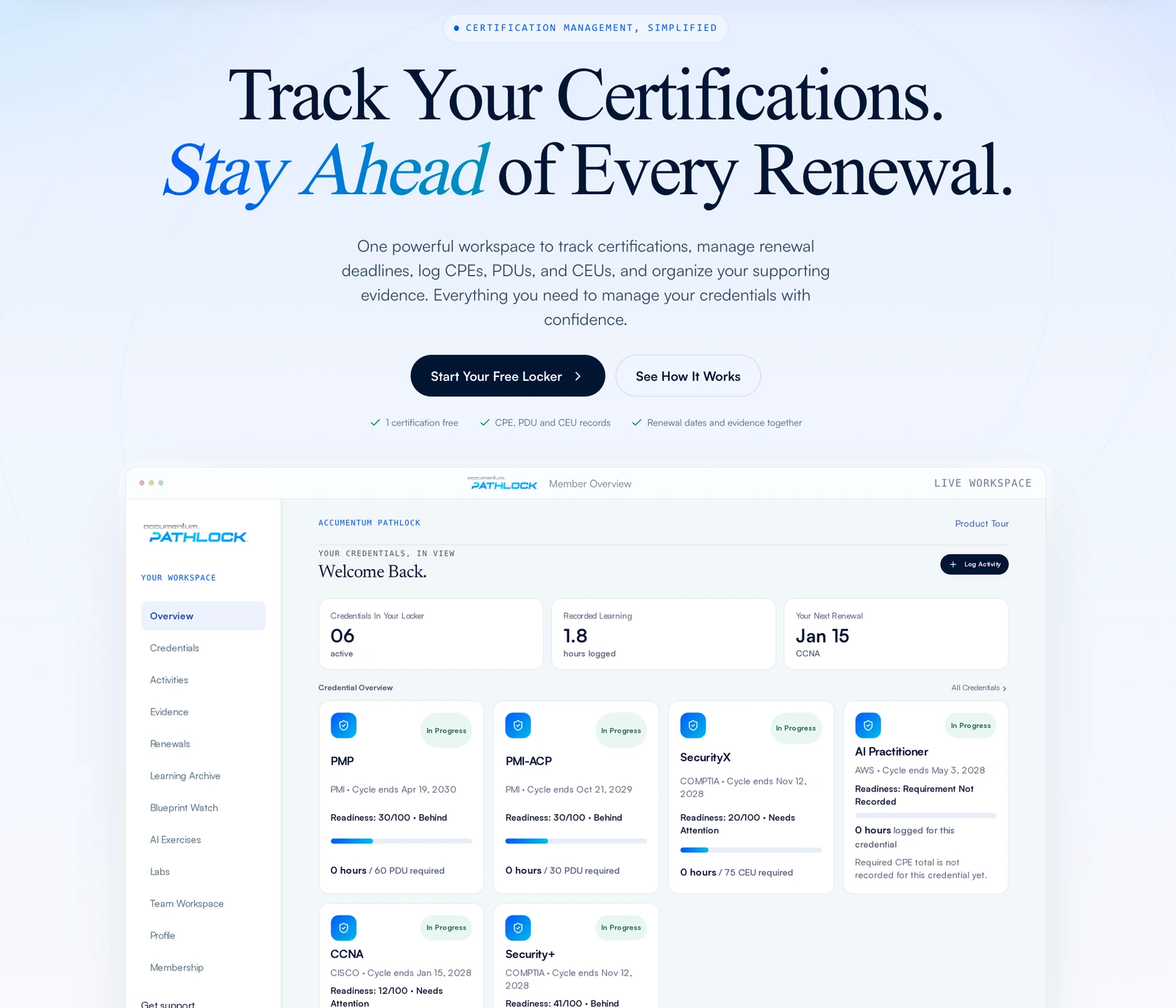
Inside the workspace, members can record issue dates, renewal dates and program details, then log learning activities with a title, date, hours and category. Activities can be allocated to a credential rather than assumed to qualify everywhere. Renewal dates sit beside those activities so a plan is visible, not only a calendar alert. PathLock is also explicit about a limit that belongs in the product, not in a footnote: tracking a date does not complete the required assessment or exam.
Leave approval where it belongs
The most useful sentence on the PathLock site is also the most careful. PathLock helps organize records for self reporting. It does not approve CPE or PDU credits, does not submit credits or renew credentials, and does not replace issuer fees or reporting portals. The official credentialing body stays the authority on eligibility, qualifying activities, fees and deadlines.
That honesty is part of professional delivery. A claim that the software will file credits for you would be easier to sell and harder to stand behind. Coverage on the public site shows how PathLock tracks a program. It is not official approval and not a guarantee that an activity will be accepted. Members are told to confirm current requirements with the issuing body before they submit.
Keep the demonstration out of the real locker
People need to see a workspace before they bring their own credentials into it. PathLock handles that with a Product Tour that uses fictional credentials and activities. Tour changes are temporary and never become part of a personal account. A member workspace contains only that member's own records. Existing completion records stay associated with the person who owns them, and private record downloads stay in that account.
The same care shows up in the small maintenance habits. If reminder emails are turned on for chosen credentials, PathLock sends them when a recorded cycle end is 180, 90, 30 and 7 days away. Members can start with Tracker Free, which includes one certification, activity records and a renewal date, with no payment card required. Individual, Pro and Premium add room for more credentials. Pro and Premium also include Hands On Labs, and Premium includes AI Exercises and an AI Renewal Coach. Automated vendor submissions are not included.
What to ask before you build a tracker of your own
If you are briefing a credential-maintenance product, write the taxonomy first. Which programs are credit cycles, which are assessment or exam renewals, and which should be date-tracked until the issuer's current rules are confirmed? Then write the sentences you are willing to publish: who approves credit, who submits it, and what the software will not do. If those sentences are awkward, the product is making a promise it cannot keep.
Keep demonstration data out of personal records. Make reminder mail a choice, not a surprise. Give someone a way to start with one credential so the habit can begin before they are asked to hold a larger locker. And decide, in public, that coverage is a tracking method, not a partnership claim with the issuer.
Accumentum Digital builds products like this when the job is to help a professional stay current without pretending the software can replace the issuer. The PathLock case study shows how those rules appear in the shipped workspace and on the public site. PathLock's job is to keep the record straight. The issuing body still decides what counts.
Frequently asked questions
Does a renewal tracker approve CPE or PDU credits?
It should not. PathLock organizes records for self reporting. The issuing body decides eligibility and accepts submissions.
Can a tracker handle credentials that renew by exam?
Yes, by recording dates and planning around them. Tracking a date does not complete the required assessment or exam.
Why not file credits with the issuer automatically?
Because eligibility rules, fees and portals belong to the issuer. PathLock does not include automated vendor submissions.
How should a product be demonstrated safely?
Use a tour with fictional records that never write into a personal account, as PathLock does with its Product Tour.


